Sekigae Sensei
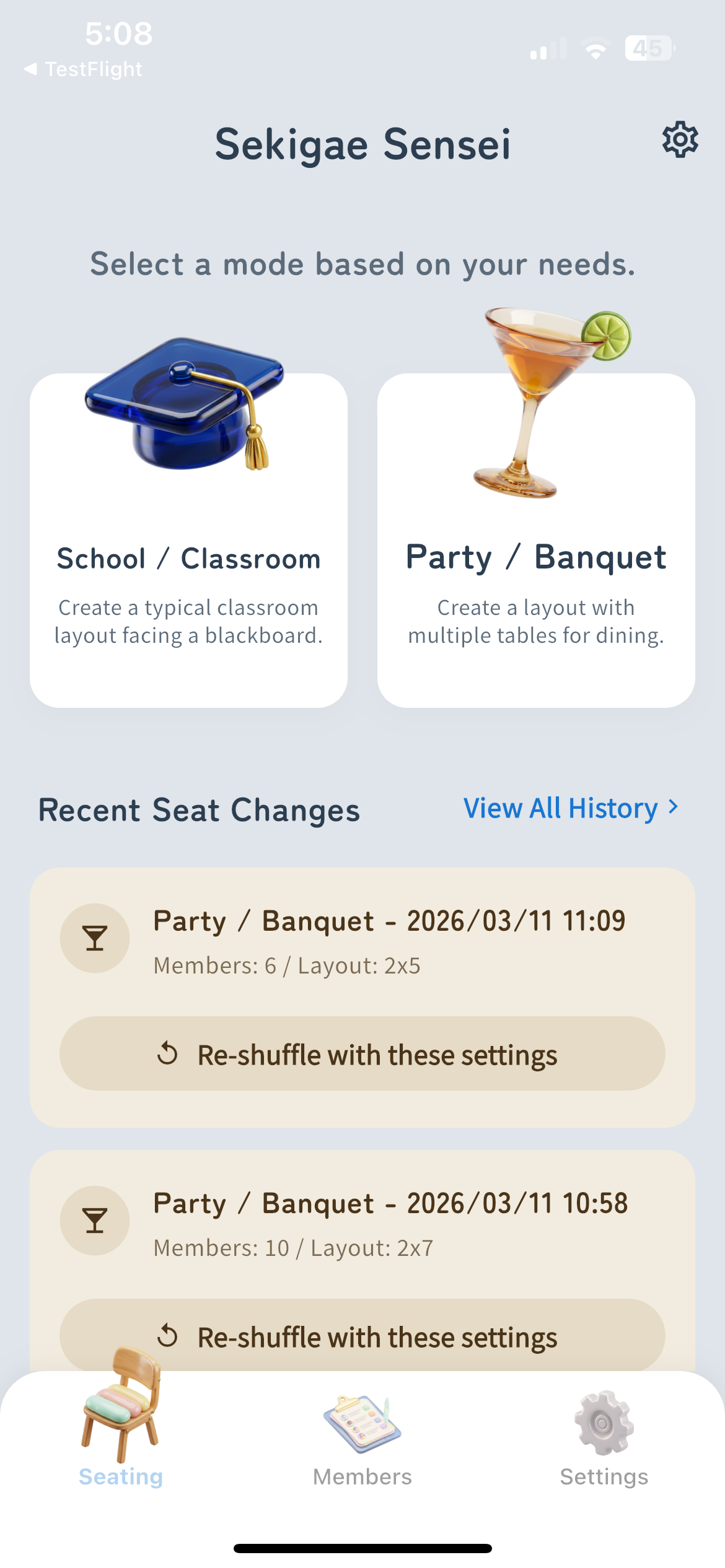
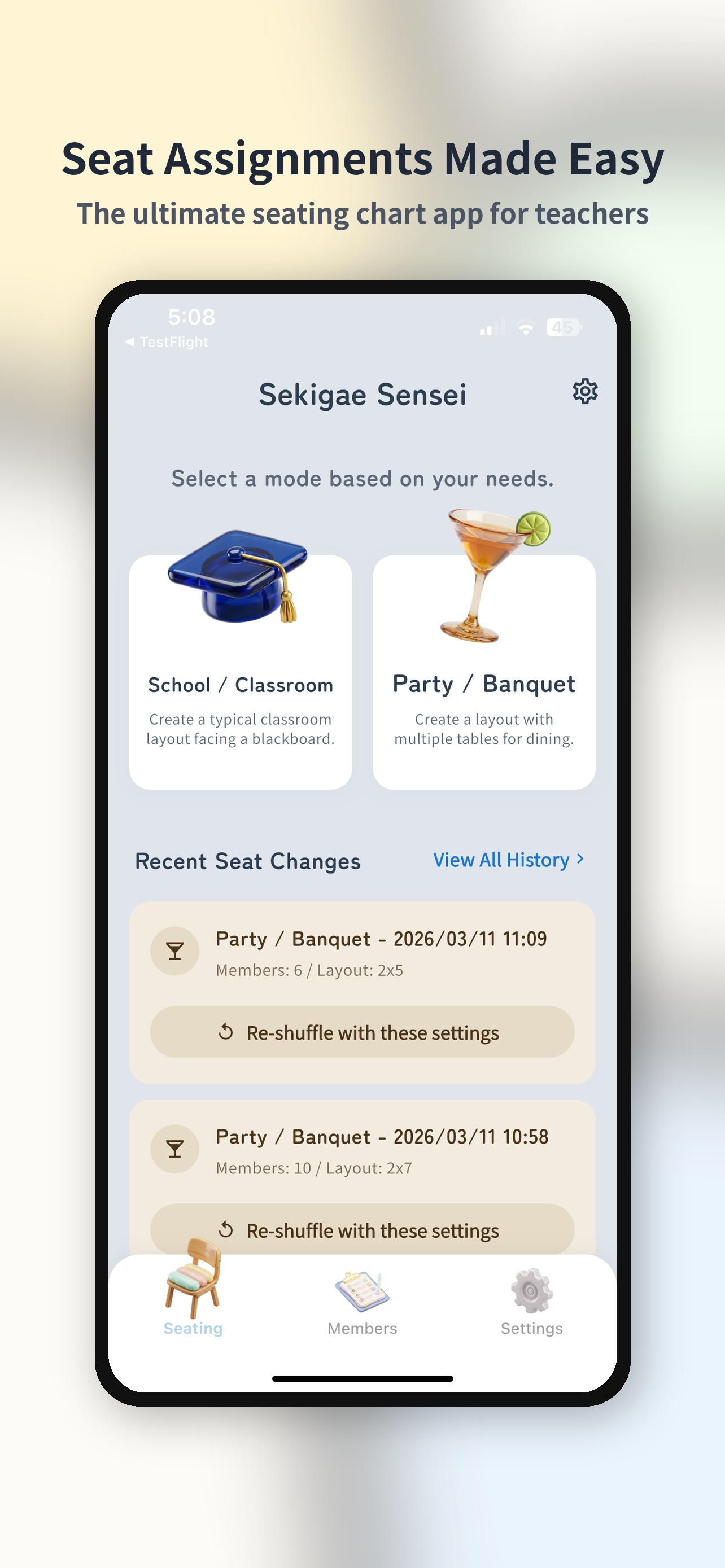
Select a Mode for Your Needs


🎉 Golf & Ghost Leg Supported 🎉
"Seating changes done in 10 seconds!"
— Teacher A
"Super easy to alternate men and women at parties"
— Pro Organizer
"God-tier app that avoids pairing specific people"
— Teacher B
"Seating changes done in 10 seconds!"
— Teacher A
"Super easy to alternate men and women at parties"
— Pro Organizer
"God-tier app that avoids pairing specific people"
— Teacher B
Solve Seating for Every Occasion
School & Party Modes
Instantly adapt to any layout, from classrooms to multiple tables. Customizable teacher's desk and table shapes.
Instant Roster Creation
No manual typing needed. Instantly create rosters for dozens with camera OCR reading for handwritten lists or CSV imports.
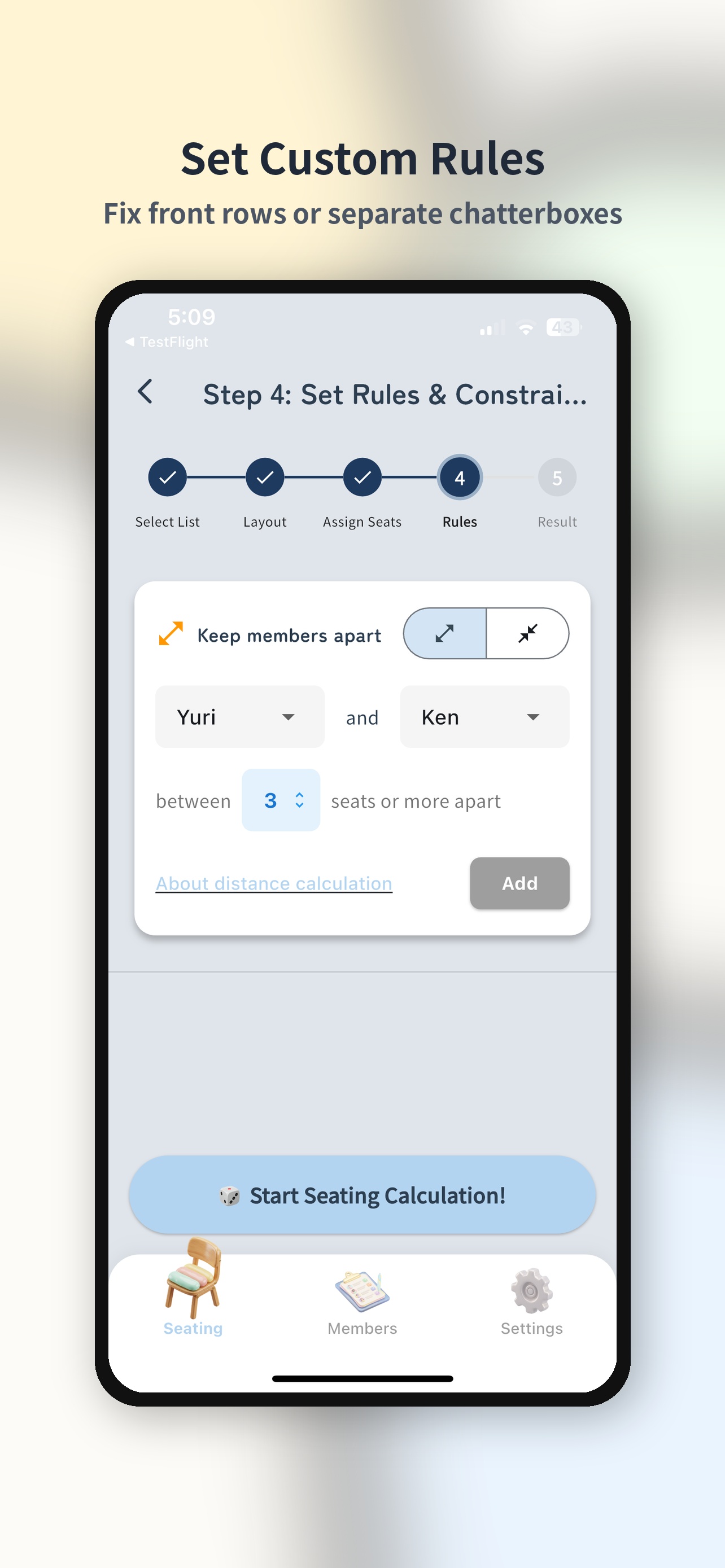
Advanced Adjacency Rules
The system automatically optimizes awkward relationships or special needs like 'keep those two apart' or 'put this person in the front row'.
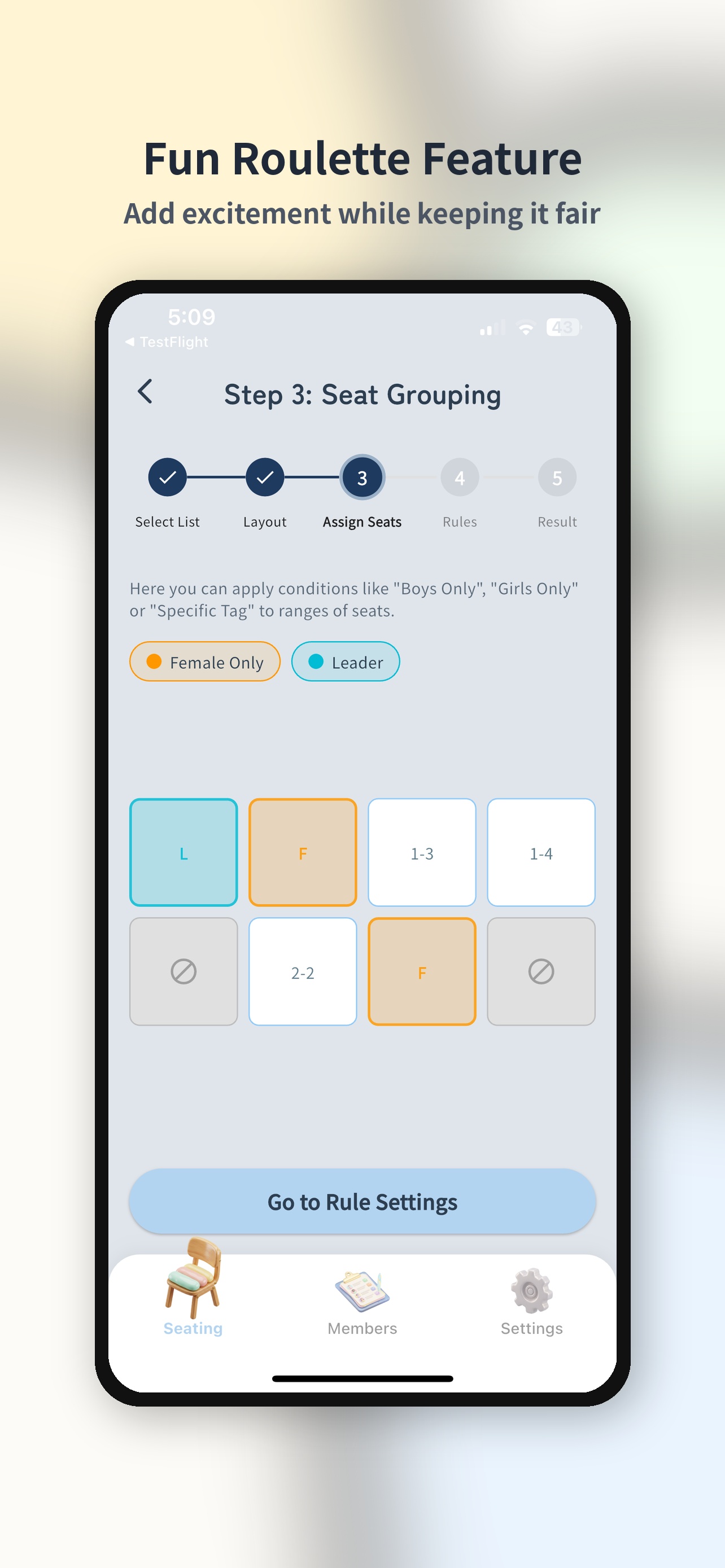
Fair Grouping
Precisely control groupings using tags, such as 'even gender ratio per table' or 'mix rookies and veterans'.
Entertainment 'Roulette'
Great even after assigning seats! Liven up events with paired draws, ghost legs, or a roulette to randomly select someone.
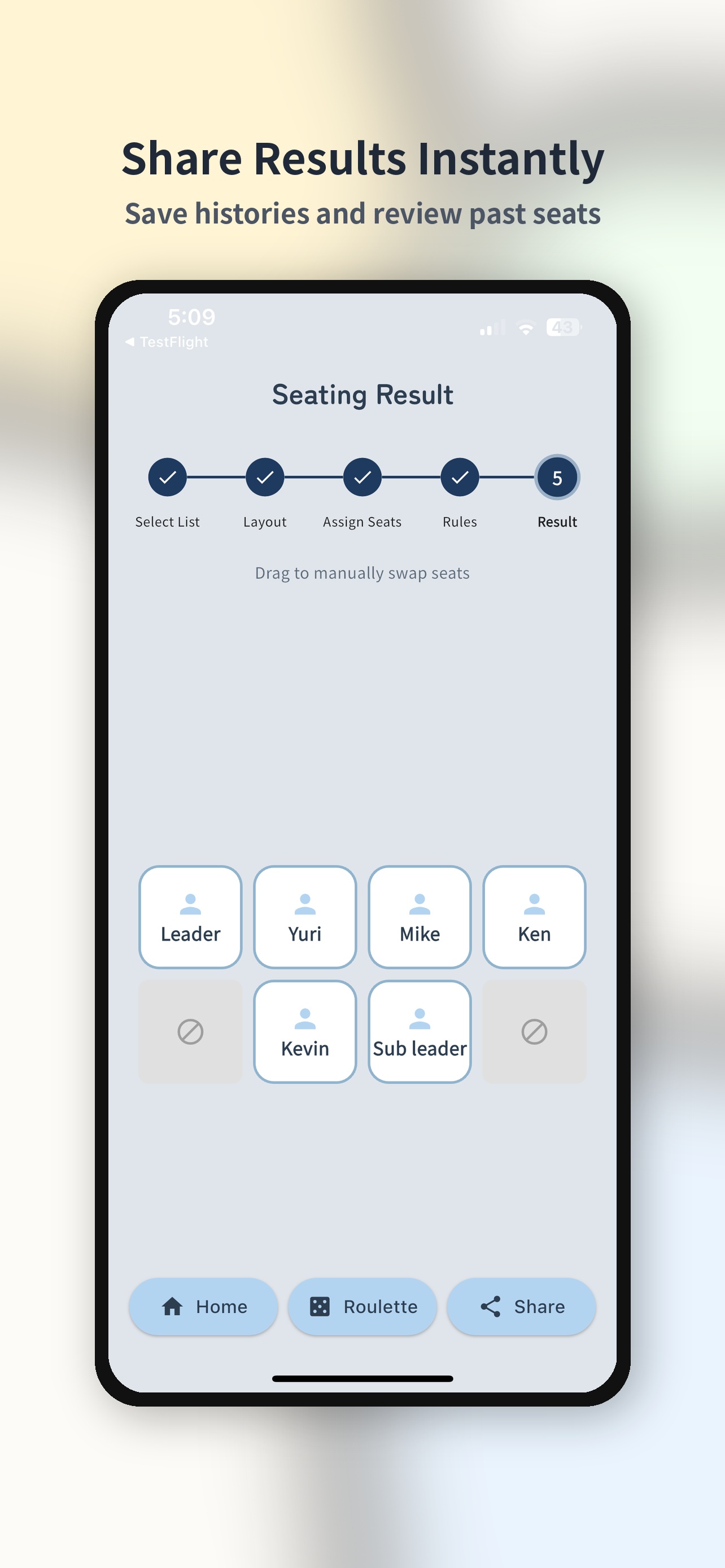
Quick Image Sharing
Output the finished seating chart as a high-quality image with a single tap. Instantly share with members via messaging apps or AirDrop.
Popular Use Cases
Smarter seating for every occasion.
Wedding Themes
Auto-generate seating charts for receptions & after-parties, respecting groups and relationships.
Year-End Parties
Smart table grouping for year-end parties. Let AI handle the tricky arrangements.
New Year Parties
Smooth seating for New Year parties with balanced table assignments using tags.
Drinking Parties
Random yet fair seating for drinking parties. Avoid awkward neighbors with adjacency rules.
General Meetings
Handle large-group general meetings in seconds. Bulk import from CSV.
Singles Mixers
Automatically balance gender ratios for singles mixers. Tag-based job balancing too.
Lab Classrooms
Quickly assign lab partners or groups with rule-based seating.
Golf Tournaments
Fairly auto-generate golf tournament pairings. Handicap considerations supported.
School Trips
Assign school trip and bus seats quickly with class and group conditions.
Classroom Seating
AI instantly optimizes classroom seating for the whole class. Just set your conditions for a fair, transparent seating chart.
Create Easily in 5 Steps
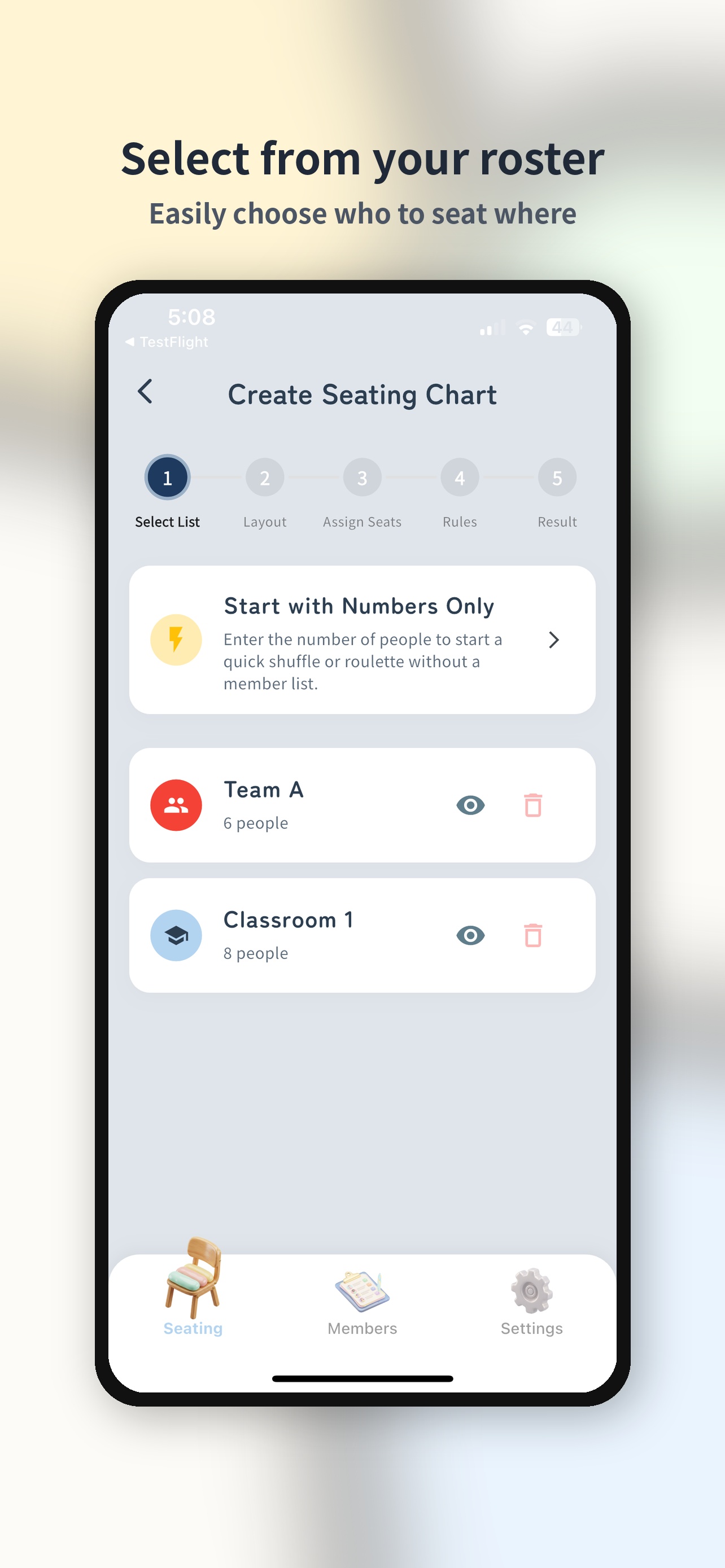
Select Members
Choose the participant list. You can also start quickly by just specifying the number of people.
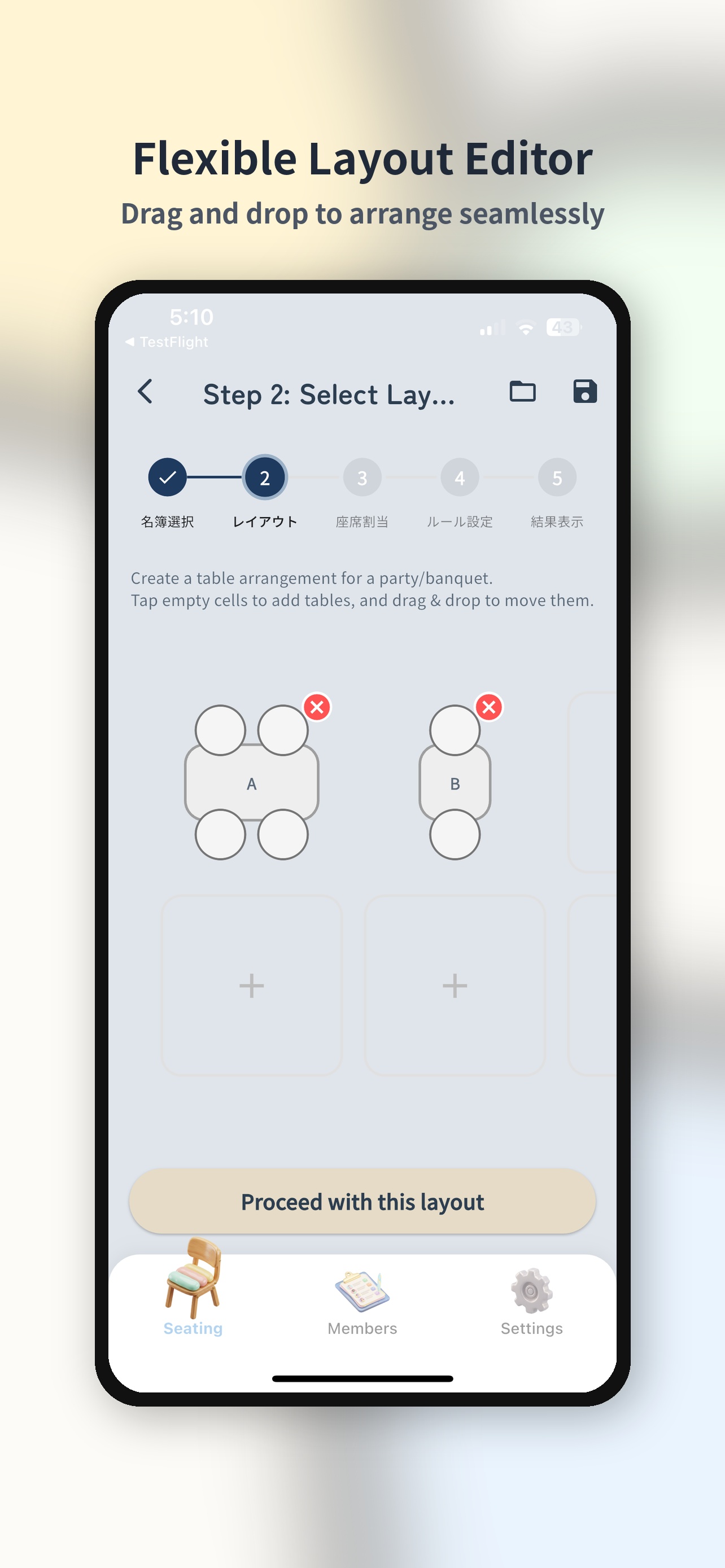
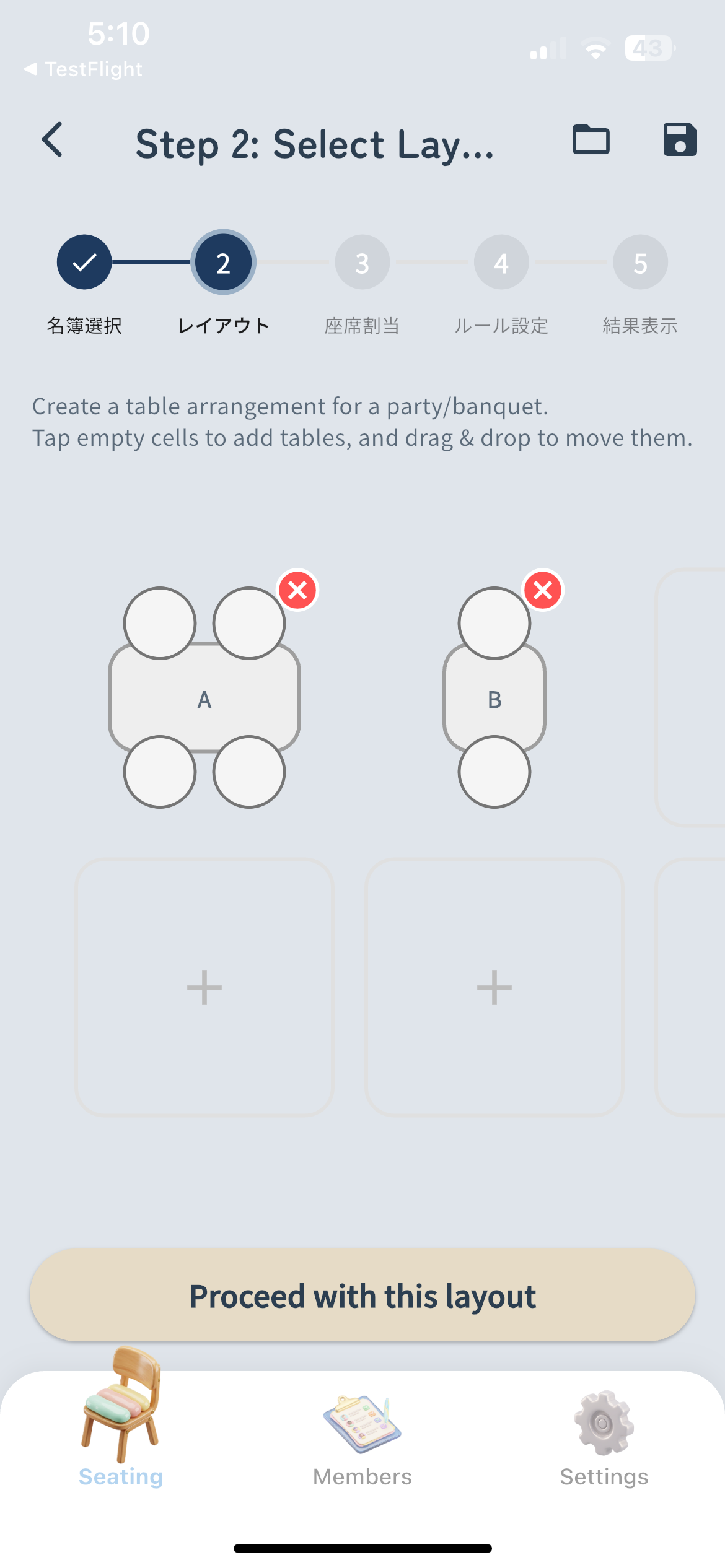
Create Layout
Arrange the seating layout. Flexible support for school classroom styles or party table styles.
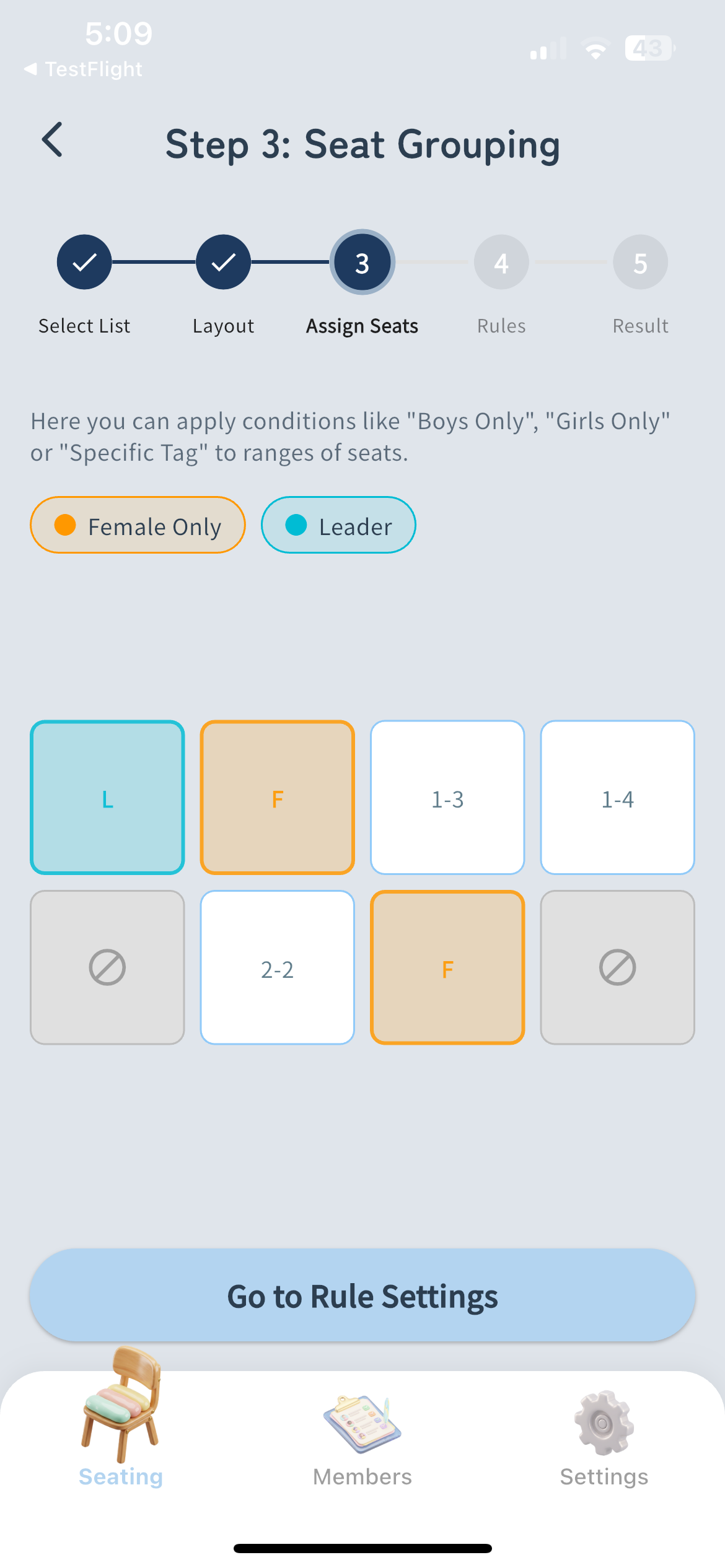
Assign Constraints
Remove unused seats, or assign specific groups/tags to certain seats.
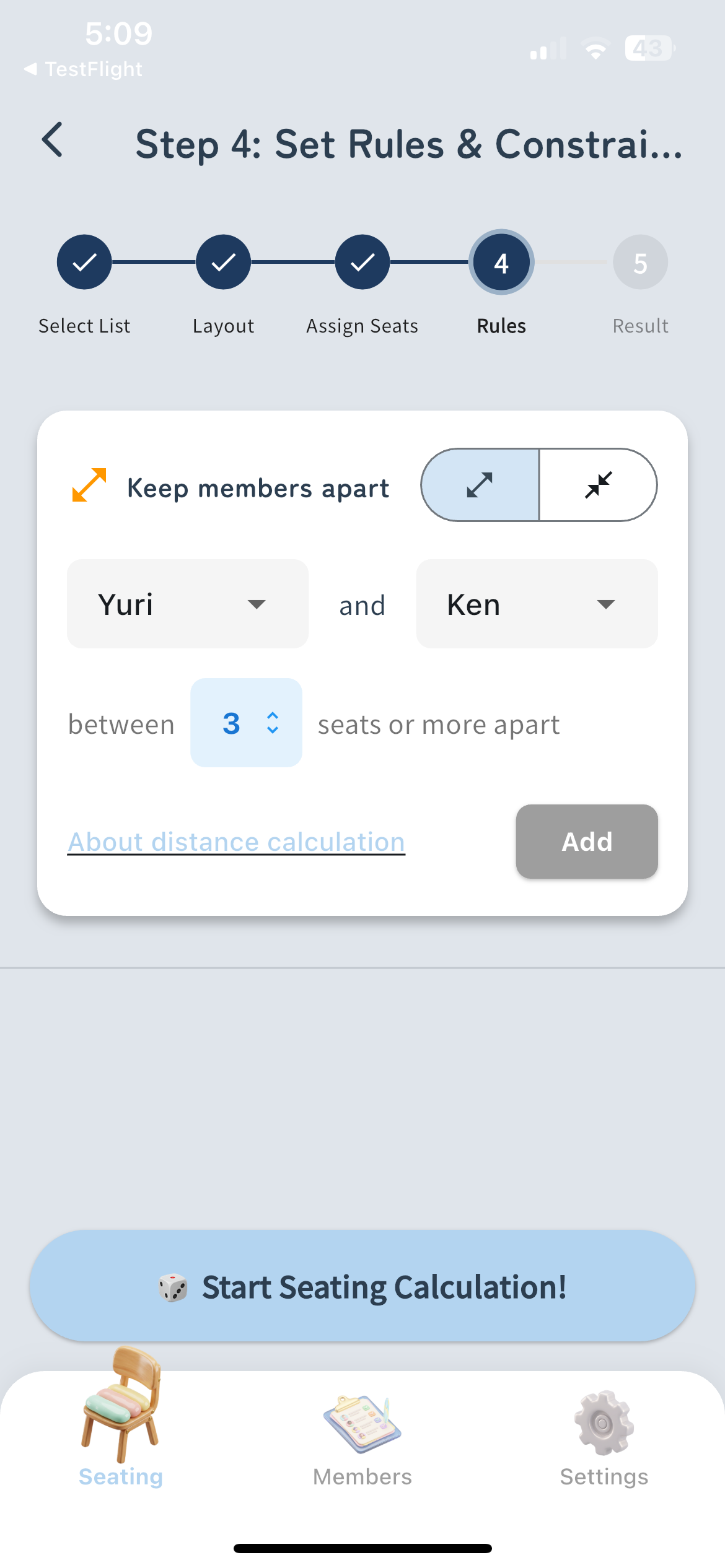
Set Adjacency Rules
Set rules like 'keep specific people apart' or 'put them together' for smart seat shuffling.
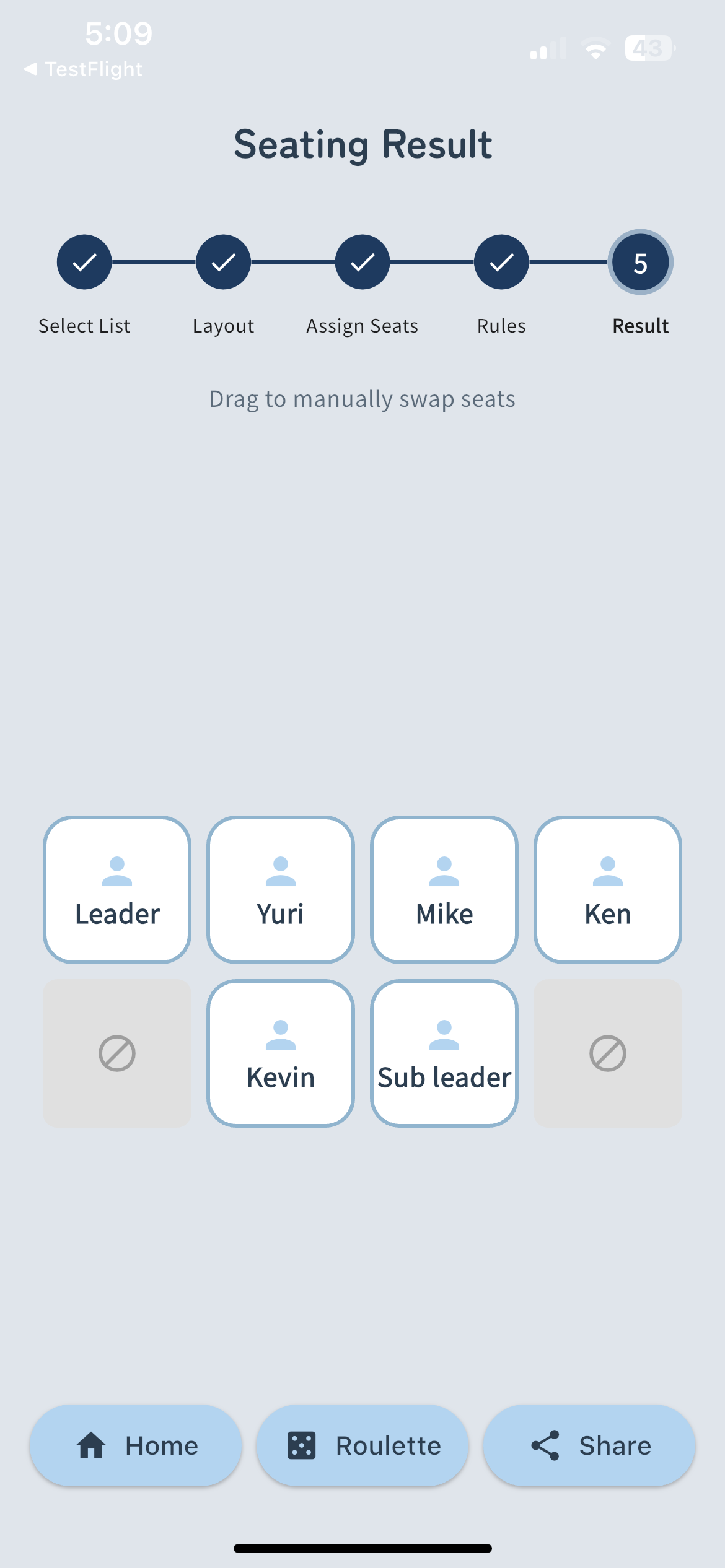
Shuffle & Share
Seating complete with one tap! The finished layout can be instantly shared as an image.
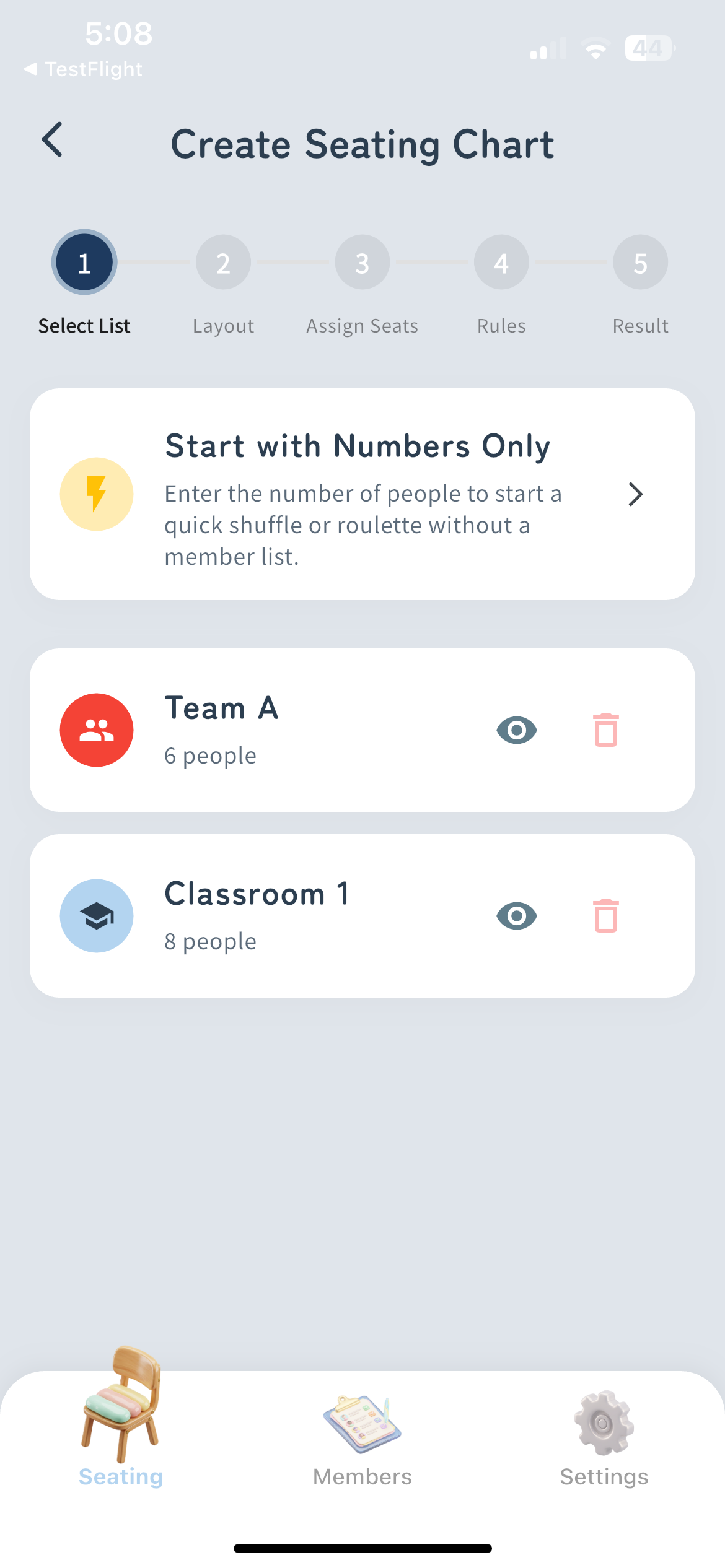
Select Members
Choose the participant list. You can also start quickly by just specifying the number of people.
Create Layout
Arrange the seating layout. Flexible support for school classroom styles or party table styles.
Assign Constraints
Remove unused seats, or assign specific groups/tags to certain seats.
Set Adjacency Rules
Set rules like 'keep specific people apart' or 'put them together' for smart seat shuffling.
Shuffle & Share
Seating complete with one tap! The finished layout can be instantly shared as an image.
Help / FAQ
Answers to frequently asked questions
If your issues were not resolved by the FAQ above
Contact UsTry It Free Now
Whether for school classes or company parties.
Leave the tedious seat planning to 'Sekigae Sensei' starting today.