Sekigae Sensei
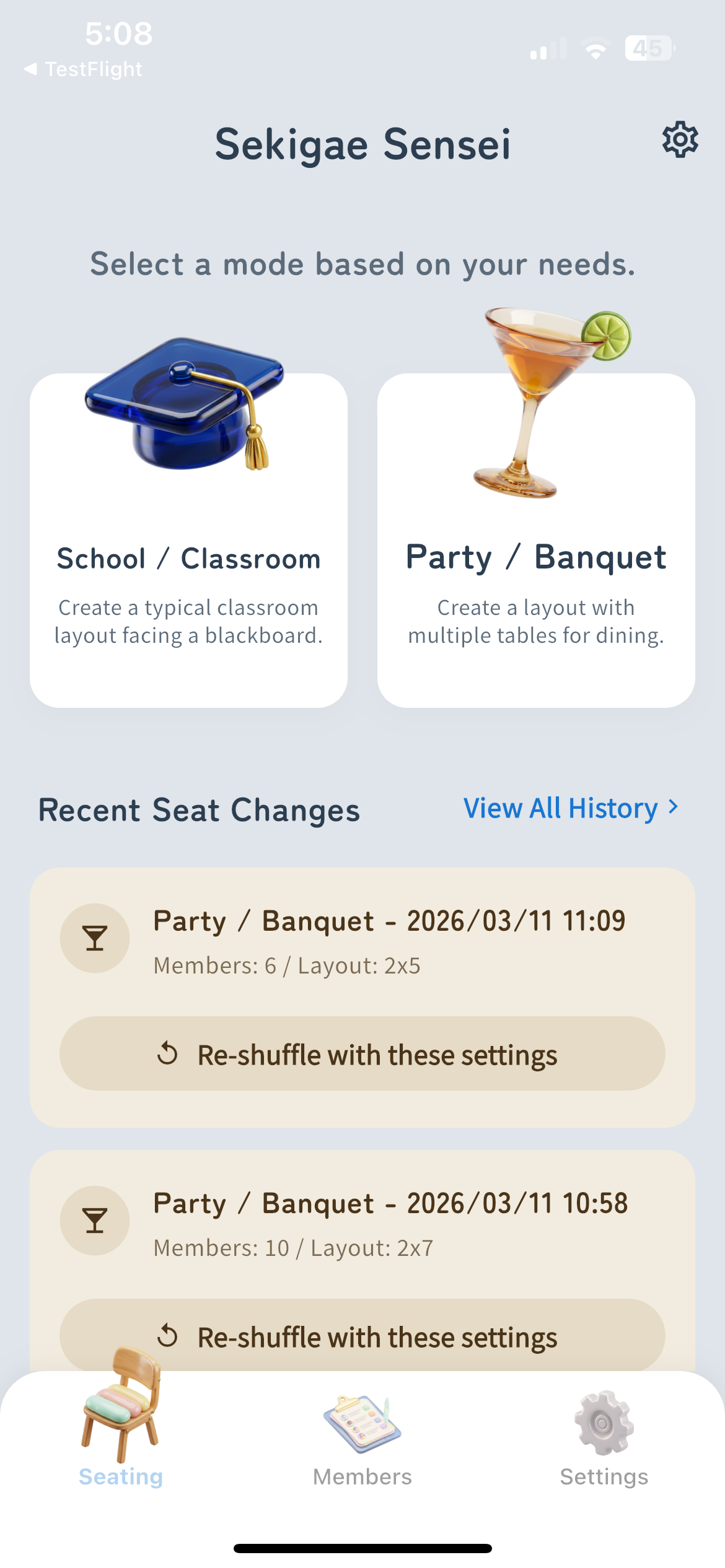
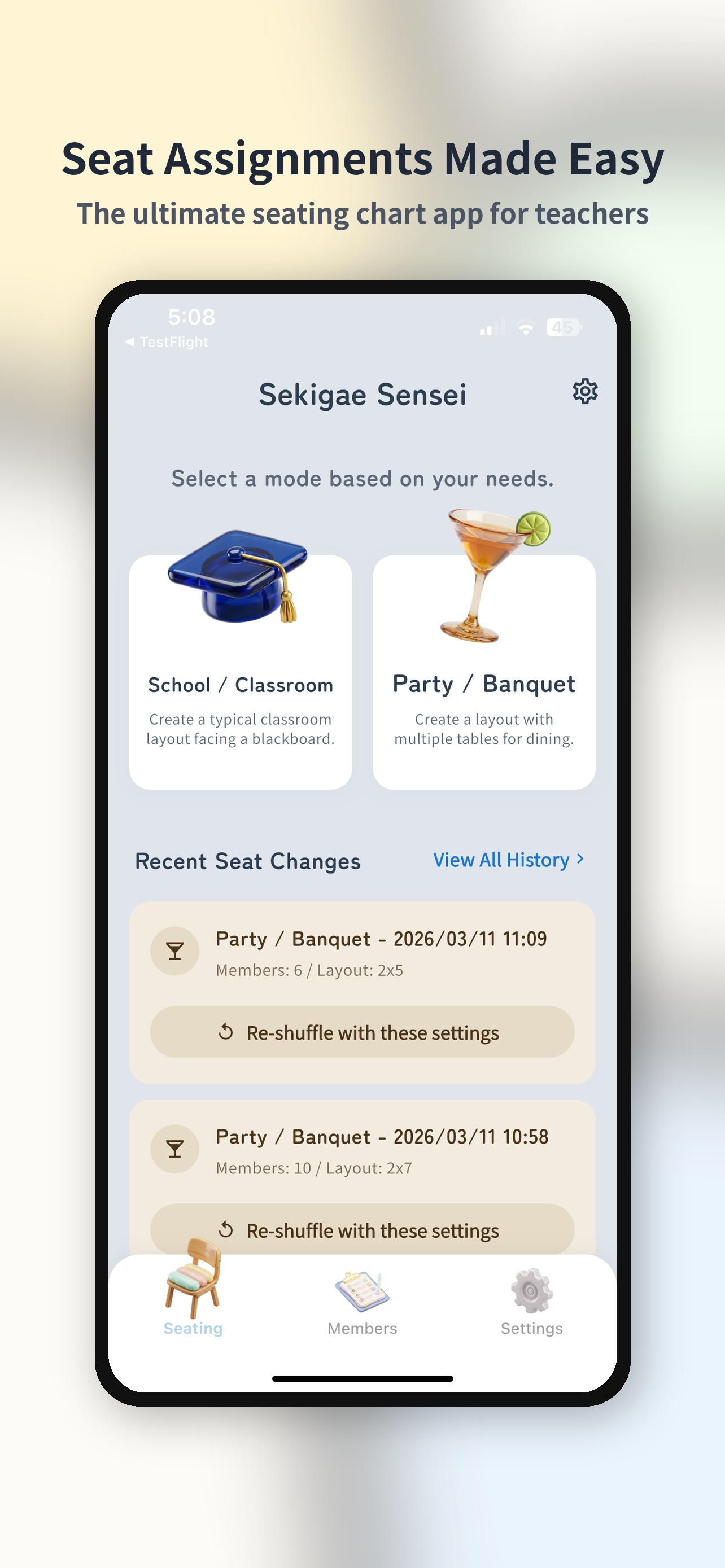
Sélectionnez un mode adapté à vos besoins


🎉 Golf et jambe fantôme pris en charge 🎉
"Changements de sièges effectués en 10 secondes !"
— Enseignant A
"Super facile d'alterner les hommes et les femmes lors des soirées"
— Organisateur professionnel
"Application de niveau divin qui évite de jumeler des personnes spécifiques"
— Professeur B
"Changements de sièges effectués en 10 secondes !"
— Enseignant A
"Super facile d'alterner les hommes et les femmes lors des soirées"
— Organisateur professionnel
"Application de niveau divin qui évite de jumeler des personnes spécifiques"
— Professeur B
Trouvez des sièges pour chaque occasion
Modes école et fête
Adaptez-vous instantanément à n'importe quelle disposition, des salles de classe aux tables multiples. Formes de bureau et de table du professeur personnalisables.
Création instantanée de liste
Aucune saisie manuelle n’est nécessaire. Créez instantanément des listes de dizaines de personnes grâce à la lecture OCR de la caméra pour les listes manuscrites ou les importations CSV.
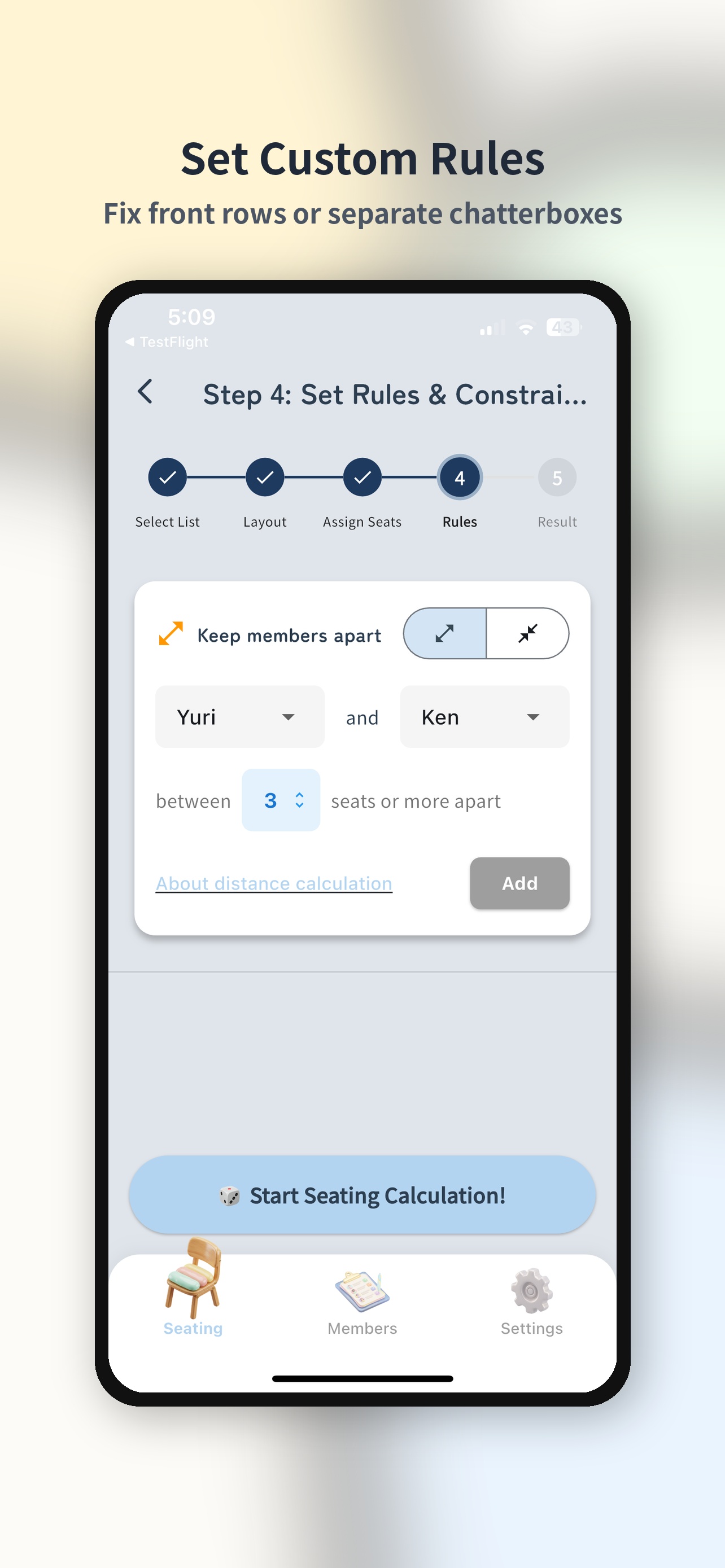
Règles de contiguïté avancées
Le système optimise automatiquement les relations difficiles ou les besoins particuliers comme « garder ces deux-là séparés » ou « mettre cette personne au premier rang ».
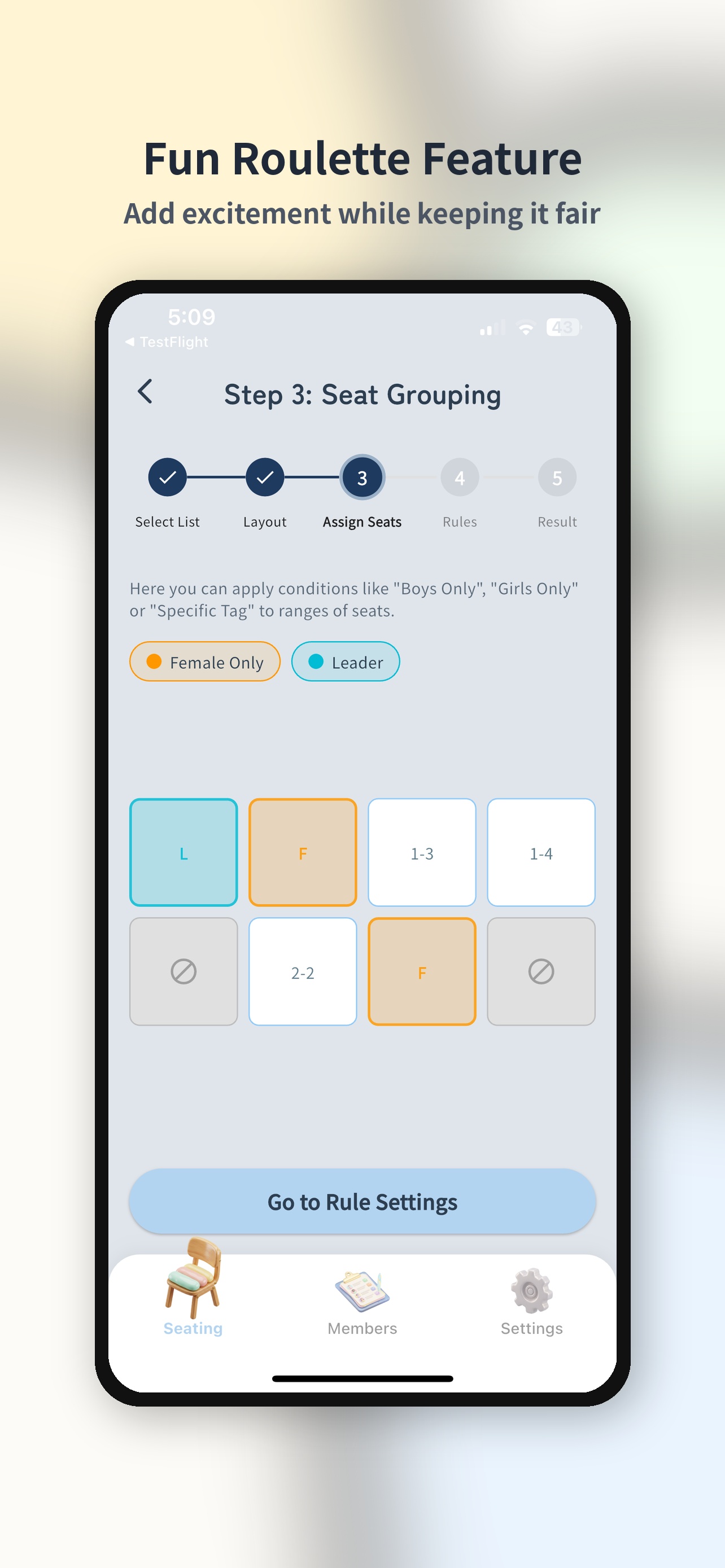
Regroupement équitable
Contrôlez avec précision les regroupements à l'aide de balises, telles que « ratio hommes-femmes par table » ou « mélanger les débutants et les vétérans ».
Divertissement 'Roulette'
Génial même après avoir attribué des sièges ! Animez les événements avec des tirages par paires, des jambes fantômes ou une roulette pour sélectionner quelqu'un au hasard.
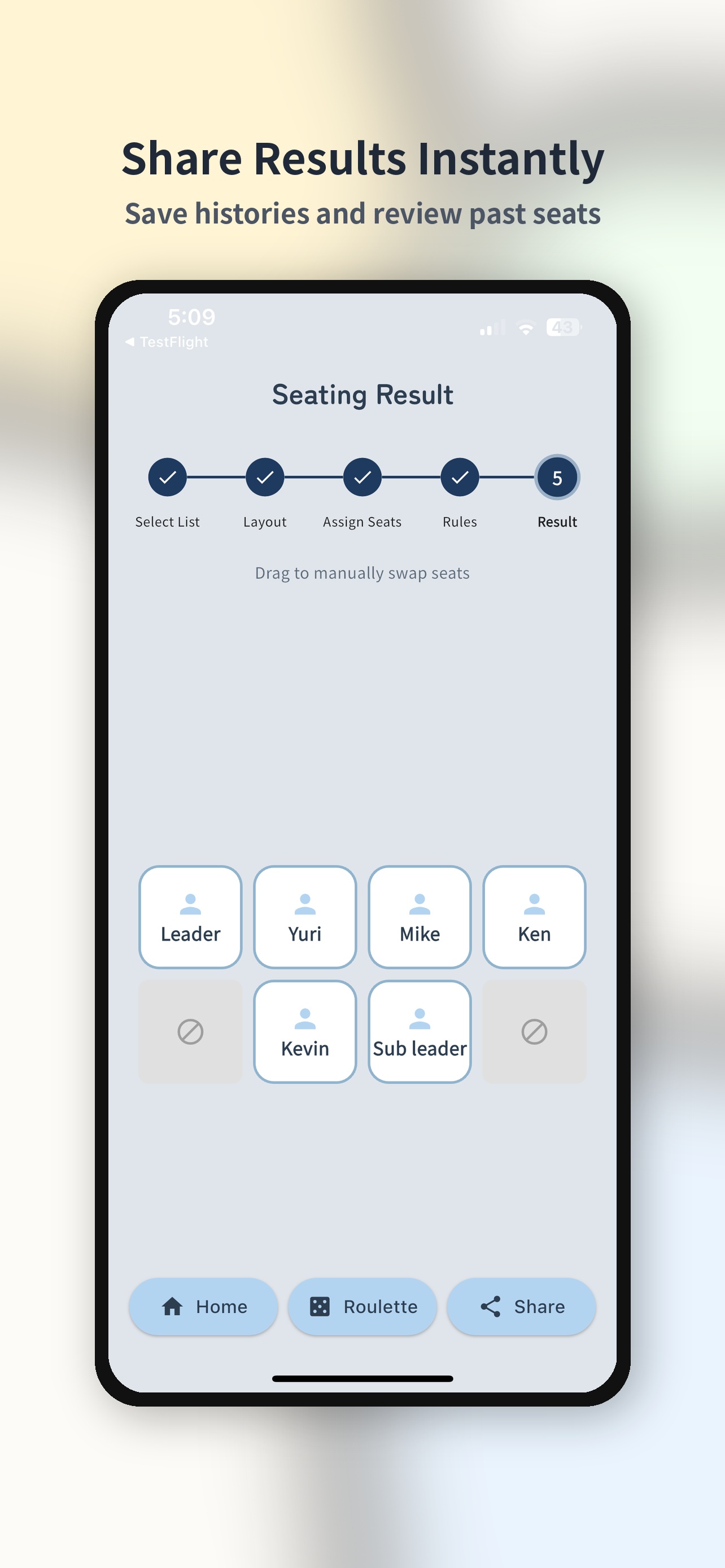
Partage d'images rapide
Générez le plan de salle terminé sous forme d'image de haute qualité en un seul clic. Partagez instantanément avec les membres via des applications de messagerie ou AirDrop.
Popular Use Cases
Smarter seating for every occasion.
Thèmes de mariage
Auto-generate seating charts for receptions & after-parties, respecting groups and relationships.
Fêtes de fin d'année
Smart table grouping for year-end parties. Let AI handle the tricky arrangements.
Fêtes du Nouvel An
Smooth seating for New Year parties with balanced table assignments using tags.
Fêtes à boire
Random yet fair seating for drinking parties. Avoid awkward neighbors with adjacency rules.
Assemblées générales
Handle large-group general meetings in seconds. Bulk import from CSV.
Mélangeurs simples
Automatically balance gender ratios for singles mixers. Tag-based job balancing too.
Salles de classe de laboratoire
Quickly assign lab partners or groups with rule-based seating.
Tournois de golf
Fairly auto-generate golf tournament pairings. Handicap considerations supported.
Voyages scolaires
Assign school trip and bus seats quickly with class and group conditions.
Plan de classe
L'IA optimise instantanément le plan de classe pour toute la classe. Définissez vos conditions pour un plan de classe équitable.
Créez facilement en 5 étapes
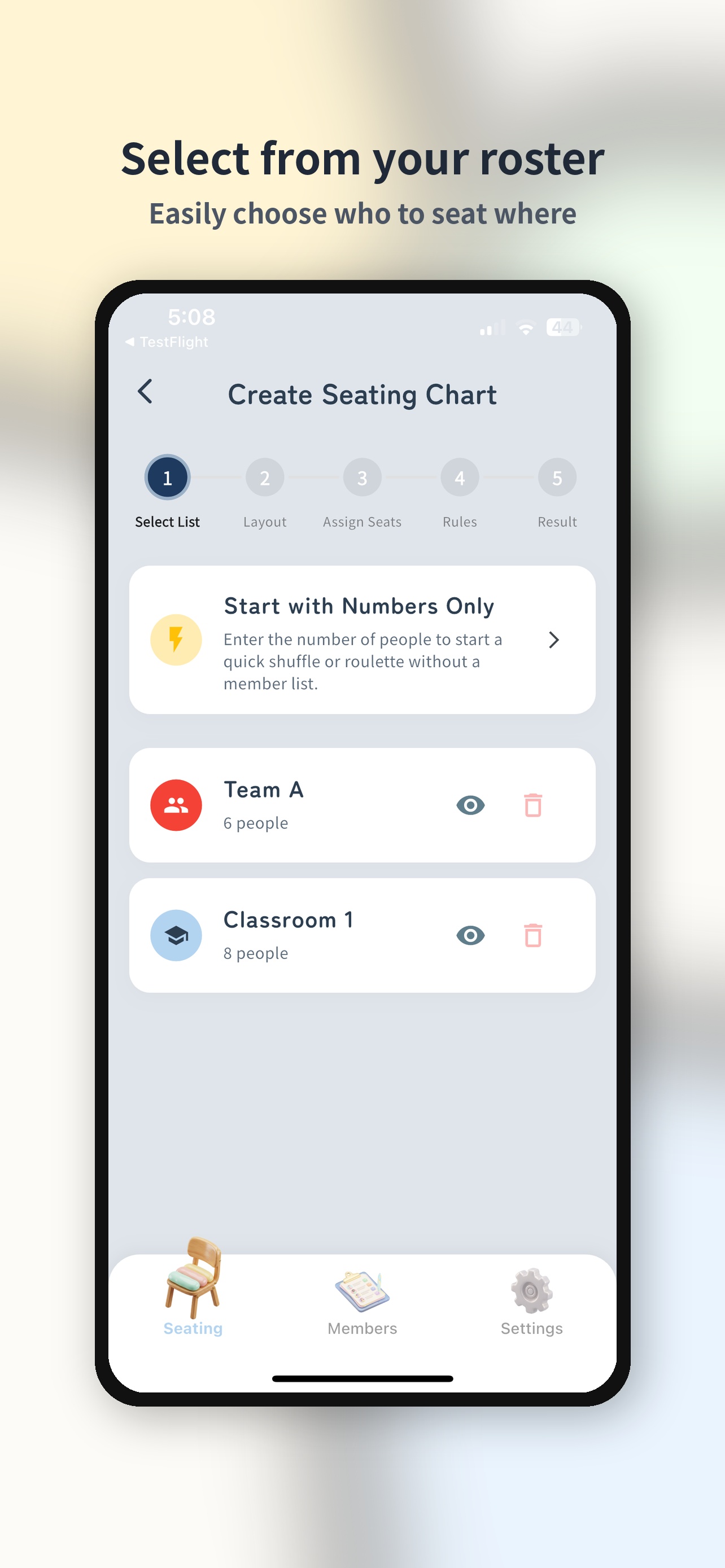
Sélectionnez les membres
Choisissez la liste des participants. Vous pouvez également démarrer rapidement en précisant simplement le nombre de personnes.
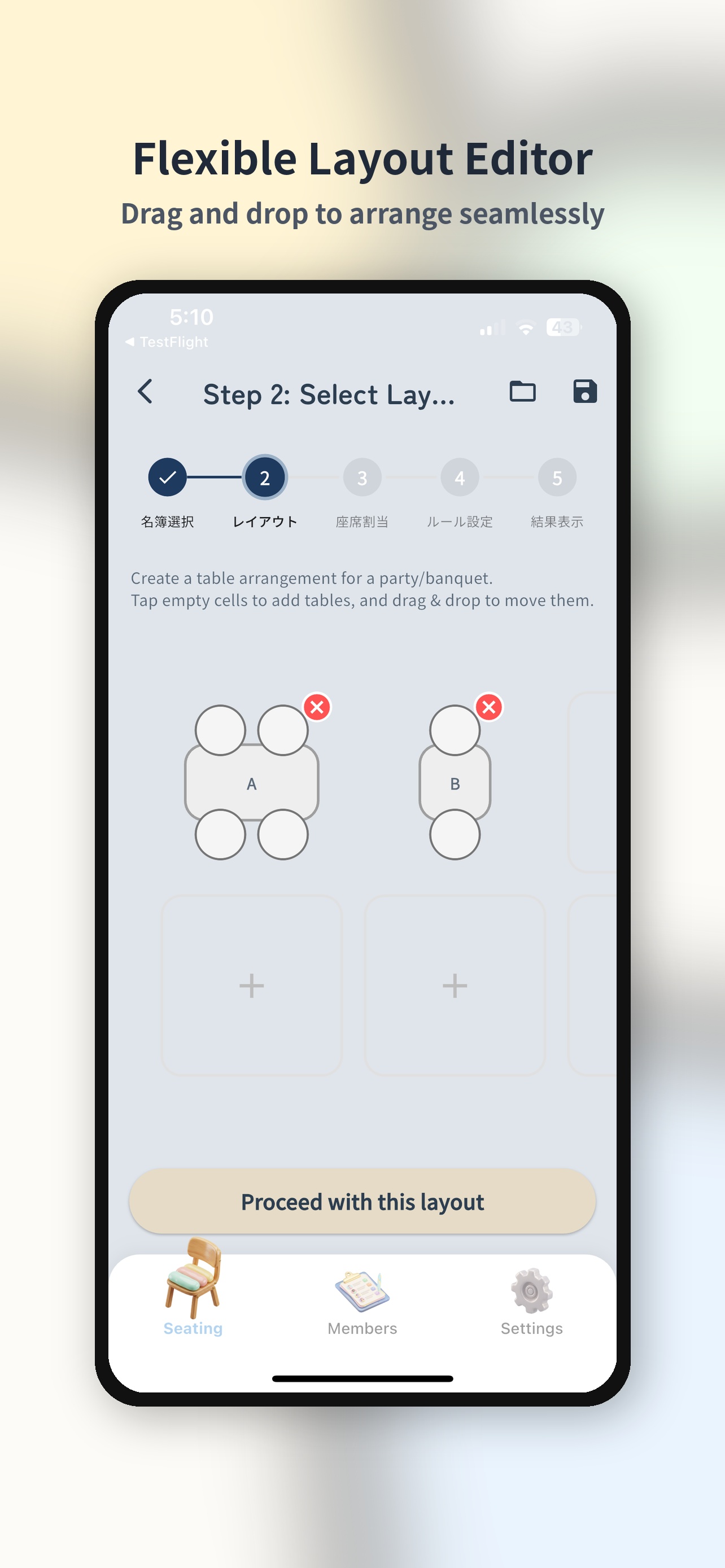
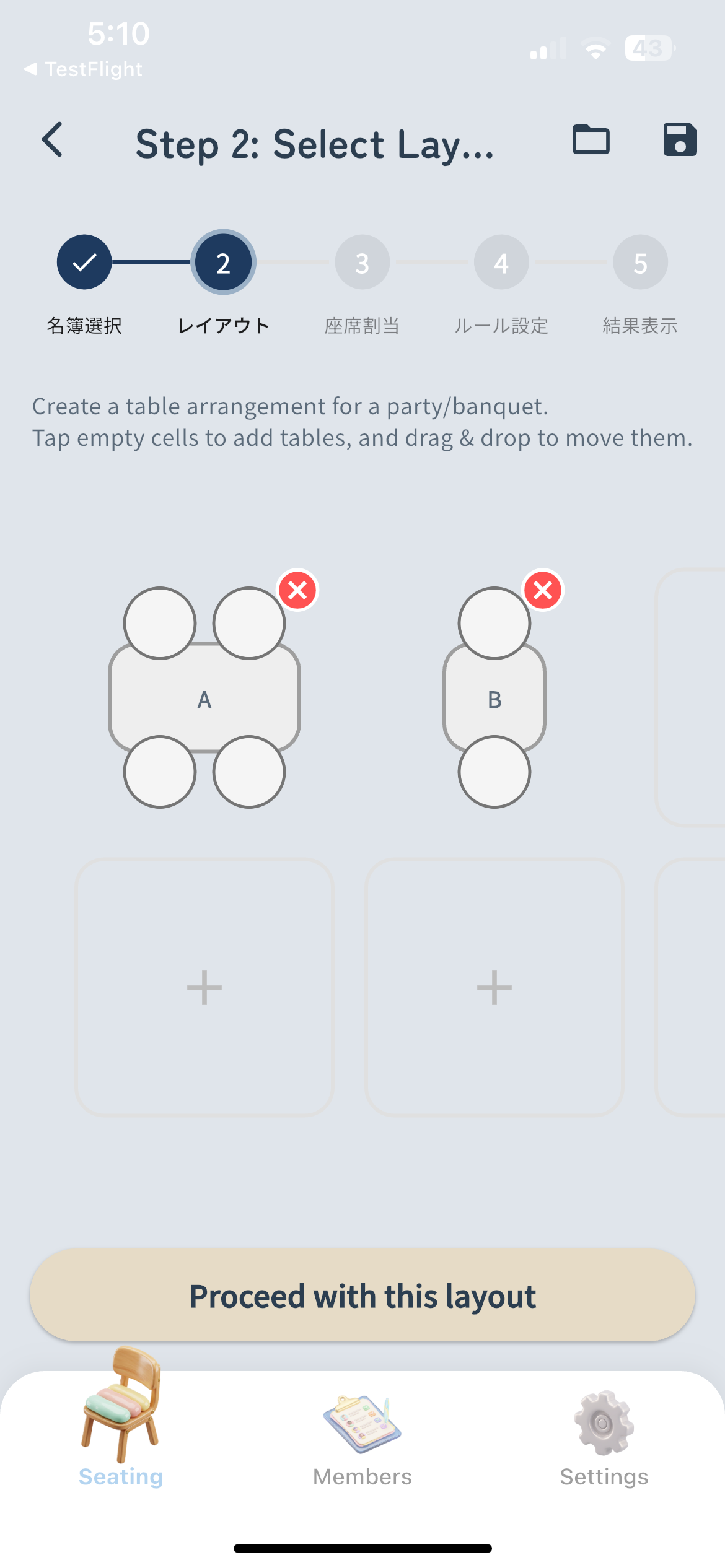
Créer une mise en page
Organisez la disposition des sièges. Prise en charge flexible des styles de classe scolaire ou des styles de table de fête.
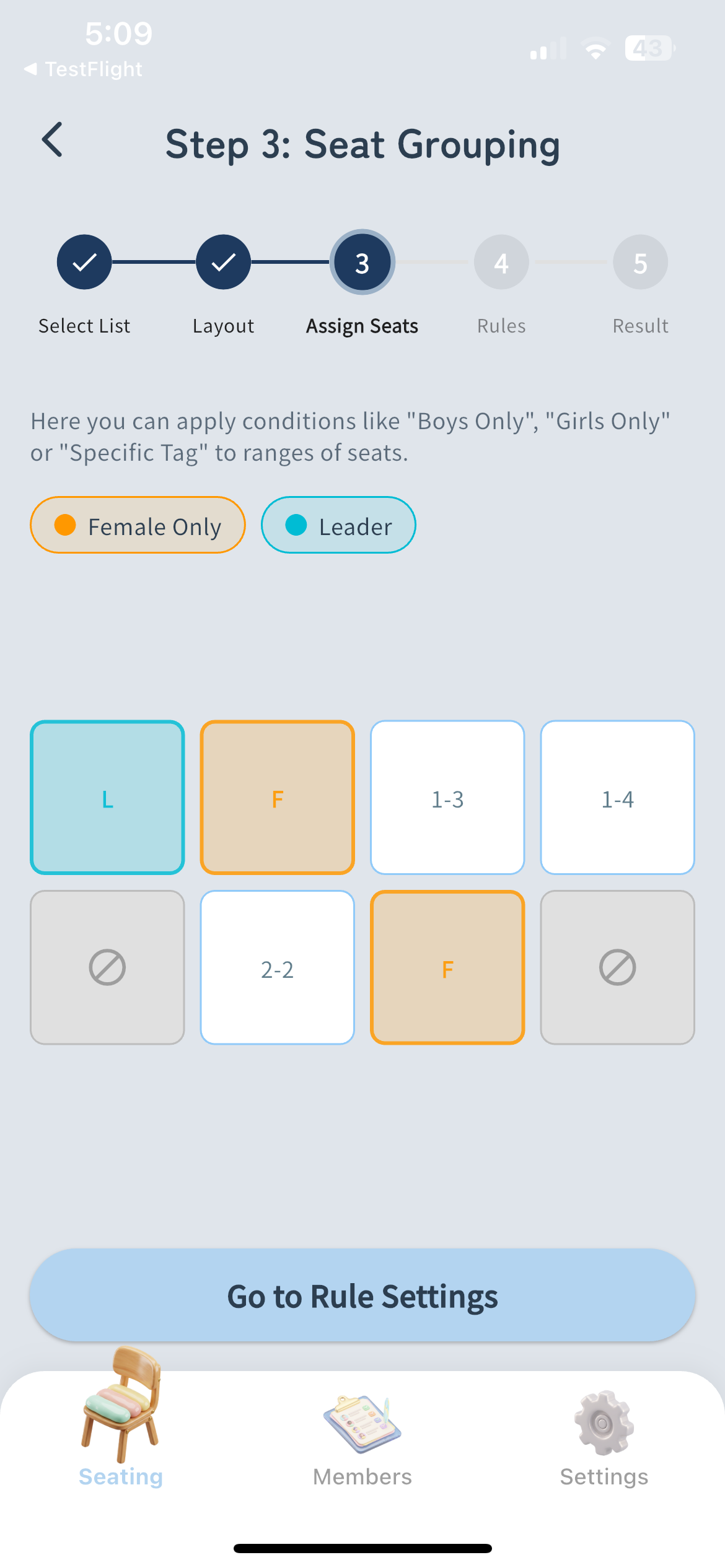
Attribuer des contraintes
Supprimez les postes inutilisés ou attribuez des groupes/tags spécifiques à certains postes.
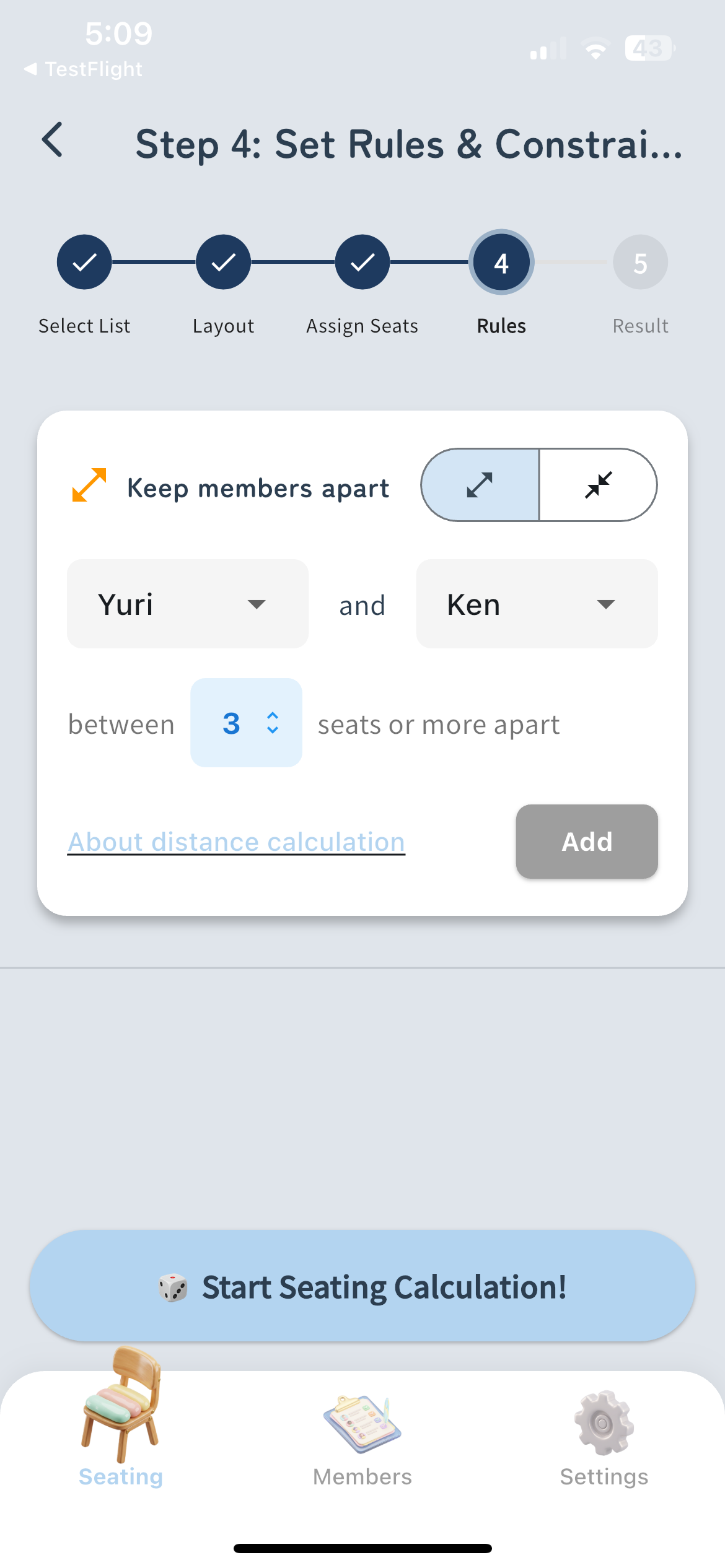
Définir des règles de contiguïté
Définissez des règles telles que « garder certaines personnes à l'écart » ou « les rassembler » pour une répartition intelligente des sièges.
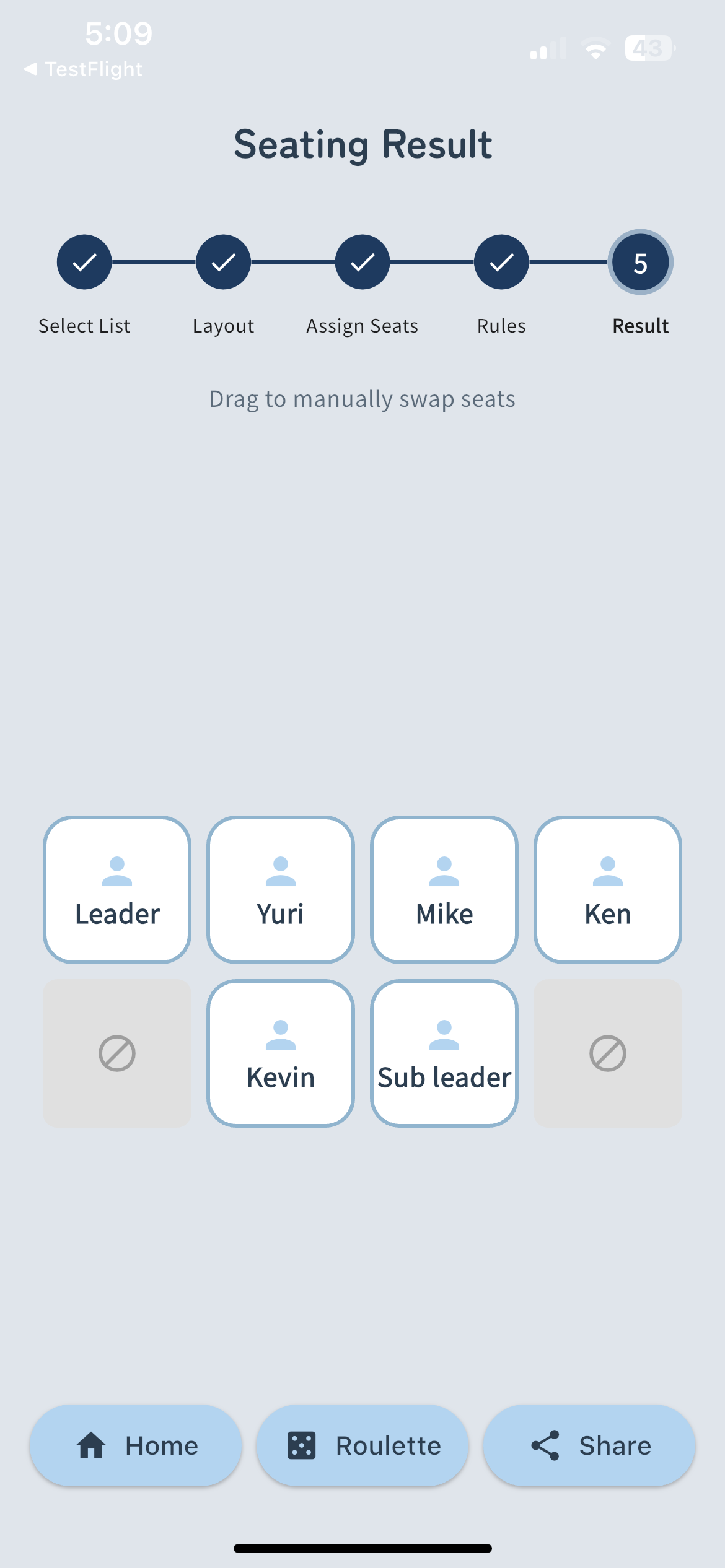
Mélanger et partager
Sièges complets en un seul clic ! La mise en page terminée peut être instantanément partagée sous forme d’image.
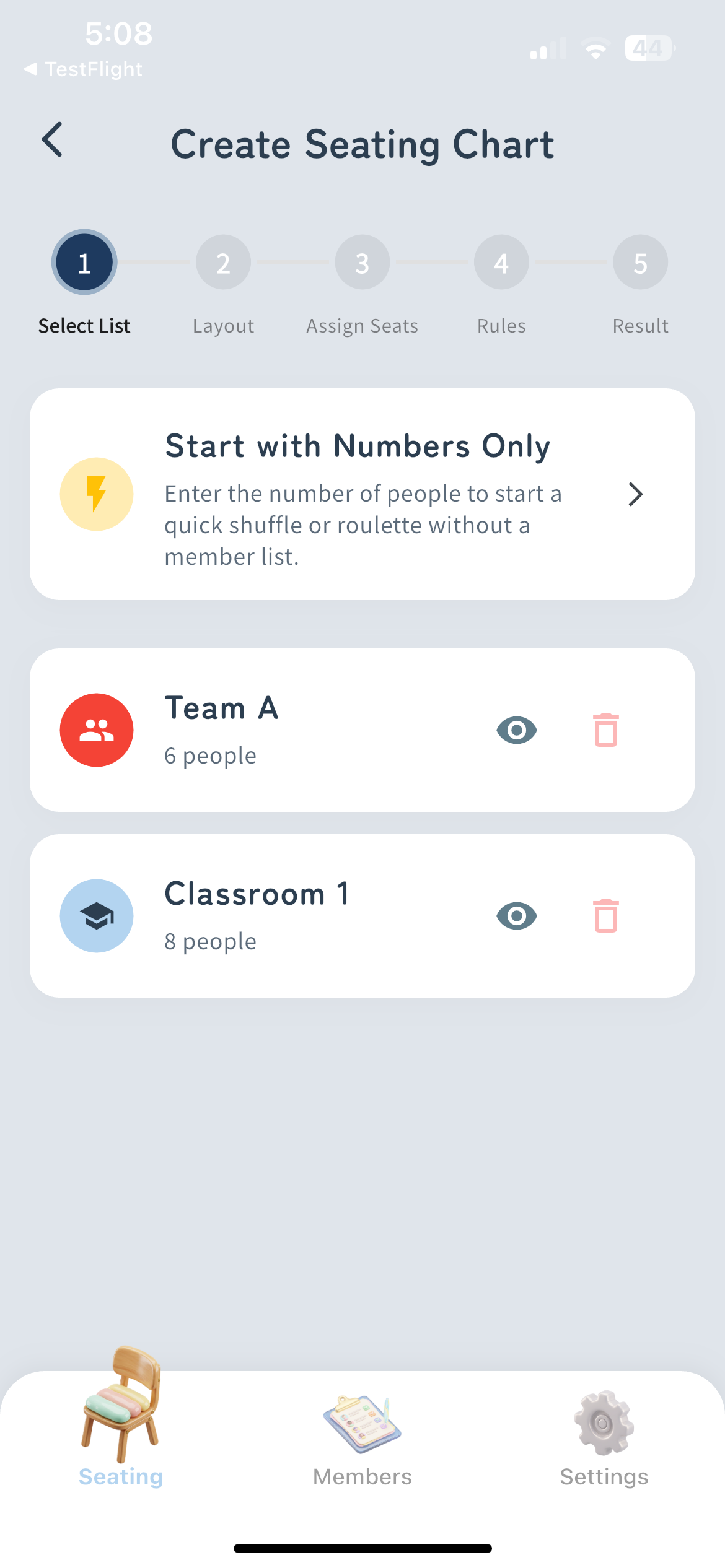
Sélectionnez les membres
Choisissez la liste des participants. Vous pouvez également démarrer rapidement en précisant simplement le nombre de personnes.
Créer une mise en page
Organisez la disposition des sièges. Prise en charge flexible des styles de classe scolaire ou des styles de table de fête.
Attribuer des contraintes
Supprimez les postes inutilisés ou attribuez des groupes/tags spécifiques à certains postes.
Définir des règles de contiguïté
Définissez des règles telles que « garder certaines personnes à l'écart » ou « les rassembler » pour une répartition intelligente des sièges.
Mélanger et partager
Sièges complets en un seul clic ! La mise en page terminée peut être instantanément partagée sous forme d’image.
Aide / FAQ
Réponses aux questions fréquemment posées
Si vos problèmes n'ont pas été résolus par la FAQ ci-dessus
Contactez-nousEssayez-le gratuitement maintenant
Que ce soit pour des cours d'école ou des fêtes d'entreprise.
Laissez la planification fastidieuse des sièges à « Sekigae Sensei » à partir d'aujourd'hui.